
Prepare your application
Jakeloud runs Build and start commands in order from a fresh release checkout. Each step runs in its own sh -c shell with $PORT set. Preparation steps must finish successfully; the final step must keep running in the foreground.
Default Docker commands
Leave Use default command checked to build the repository’s root Dockerfile and run its image. For my-project, the two steps are:
docker build -t my-project .docker run -p "$PORT":80 --rm my-projectThe container must serve HTTP on port 80, listening on 0.0.0.0. Install Docker on the server first.
For a static site with files in public/:
FROM nginx:alpineCOPY public/ /usr/share/nginx/html/EXPOSE 80For a site with a build step, use a build stage and copy its output directory into Nginx.
Custom commands
Uncheck Use default command. Edit existing rows, use Add command for another step, and drag rows to reorder them. The last row is marked Liveness check.
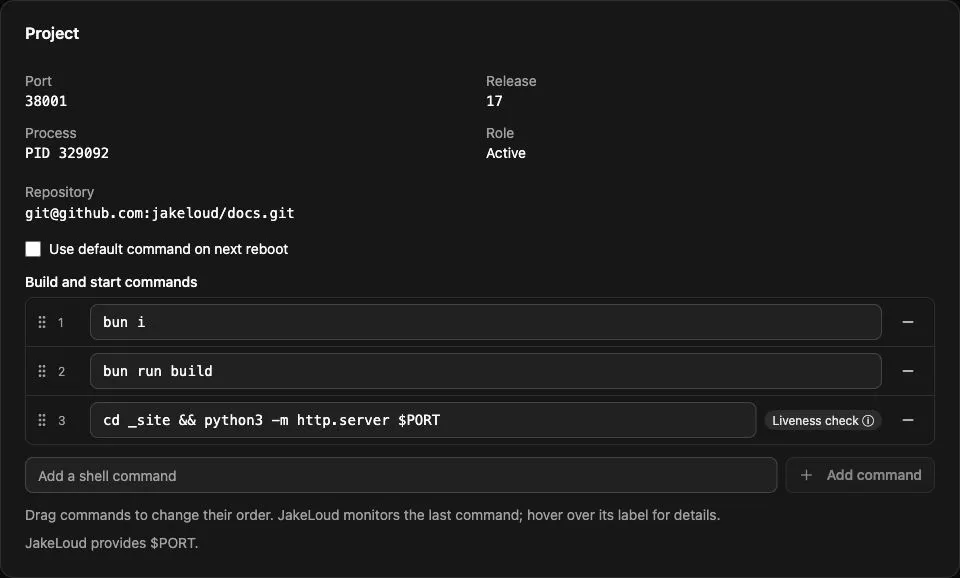
For a Node.js application with a lockfile, build script, and server.js that reads process.env.PORT, enter these as three separate steps:
npm cinpm run buildexec node server.jsFor Docker serving container port 3000:
docker build -t my-project .docker run --rm -p "$PORT":3000 my-projectFor a Go application that reads PORT:
go build -o server ./cmd/serverexec ./serverFor Podman with a Dockerfile serving port 80:
podman build -t my-project .podman run --rm -p "$PORT":80 my-projectInstall the required runtime and build tools on the host. Commands run as root in non-interactive shells; shell startup files are not read. The service PATH includes /root/.local/bin and standard system locations. Use absolute executable paths for tools installed elsewhere.
Each step starts in the release directory. A cd or export in one step does not carry into the next; combine related operations in one row, such as cd backend && exec ./server.
Process and data requirements
Keep the final command in the foreground. Avoid docker run -d or shell backgrounding with &. An exited final process is a release failure, even with exit code zero. For web projects, it must be ready to serve on $PORT when the five-second startup check completes; liveness checks process survival.
Leave Enable domain and proxy unchecked for a worker. It does not need to listen on $PORT. Old and new workers can overlap briefly during deployment.
Store persistent data outside the release checkout, for example in Docker volumes. Supply secrets through server-side files such as a Docker --env-file, and keep them out of Git. Release directories are pruned as deployments accumulate.
Continue to deploy a project.